
A clear place in the queue
Welcome visitors with ticketing kiosks and organise demand across multiple services and counters.
Queue management
Queue management systems for Australian organisations. Connect ticketing, customer calling and service insights in a workflow that makes sense for your people.
Welcome visitors with ticketing kiosks and organise demand across multiple services and counters.
Call the next customer, transfer tickets between queues and manage priorities through a configurable service interface.
Use queue displays and optional SMS notifications to help customers understand when it is their turn.
Use real-time dashboards, historical reports and customer feedback to identify where service can improve.
THE QRIGHT APPROACH
A good queue system starts with understanding your people, your space and your service process. We work with you to plan customer arrival, select suitable hardware and configure the staff workflow.
YOUR QUESTIONS
A ticketing kiosk allows a customer to select a service and join the queue. Mobile joining is available through QRight Cloud.
Yes. The QRight service interface supports multiple queues, queue transfers and prioritisation. We will work with you to configure the workflow.
Yes. QRight Cloud supports mobile and online queue joining, appointment registration and browser-based customer calling.
FLEXIBLE SOLUTIONS. LOCAL EXPERTISE.
Choose standalone, cloud or on-premises deployment, with custom development to suit your organisation.
01 / STANDALONE
A dedicated setup for your site or an on-premises deployment, configured around your infrastructure, service desks, customer calling and ticketing requirements.
02 / CLOUD
Browser-based QRight Cloud with virtual queuing, customer updates and reporting for your service locations.
03 / CUSTOM DEVELOPMENT
Custom development for specialised service workflows and integration requirements. We work with your team to define and deliver the agreed scope.

A WELCOME THAT WORKS FOR EVERY VISITOR
Give customers a straightforward way to select a service and join the queue. Choose a desktop or freestanding ticketing kiosk to suit your space, with a concierge-assisted option for visitors who need a hand.
HARDWARE FOR YOUR CUSTOMER JOURNEY
Bring your arrival workflow to life with desktop, freestanding and custom-branded kiosk options.
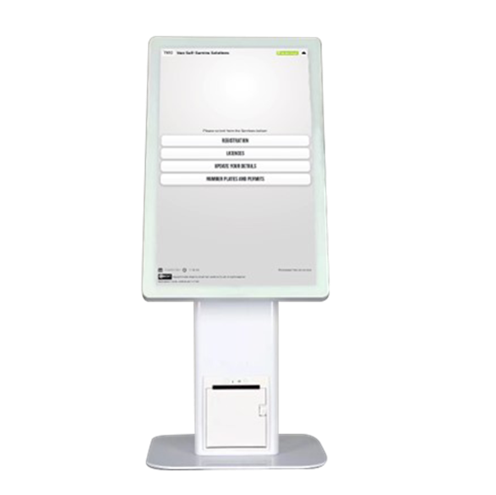
A compact touchscreen kiosk with an integrated ticket printer for check-in at a reception desk or service counter.
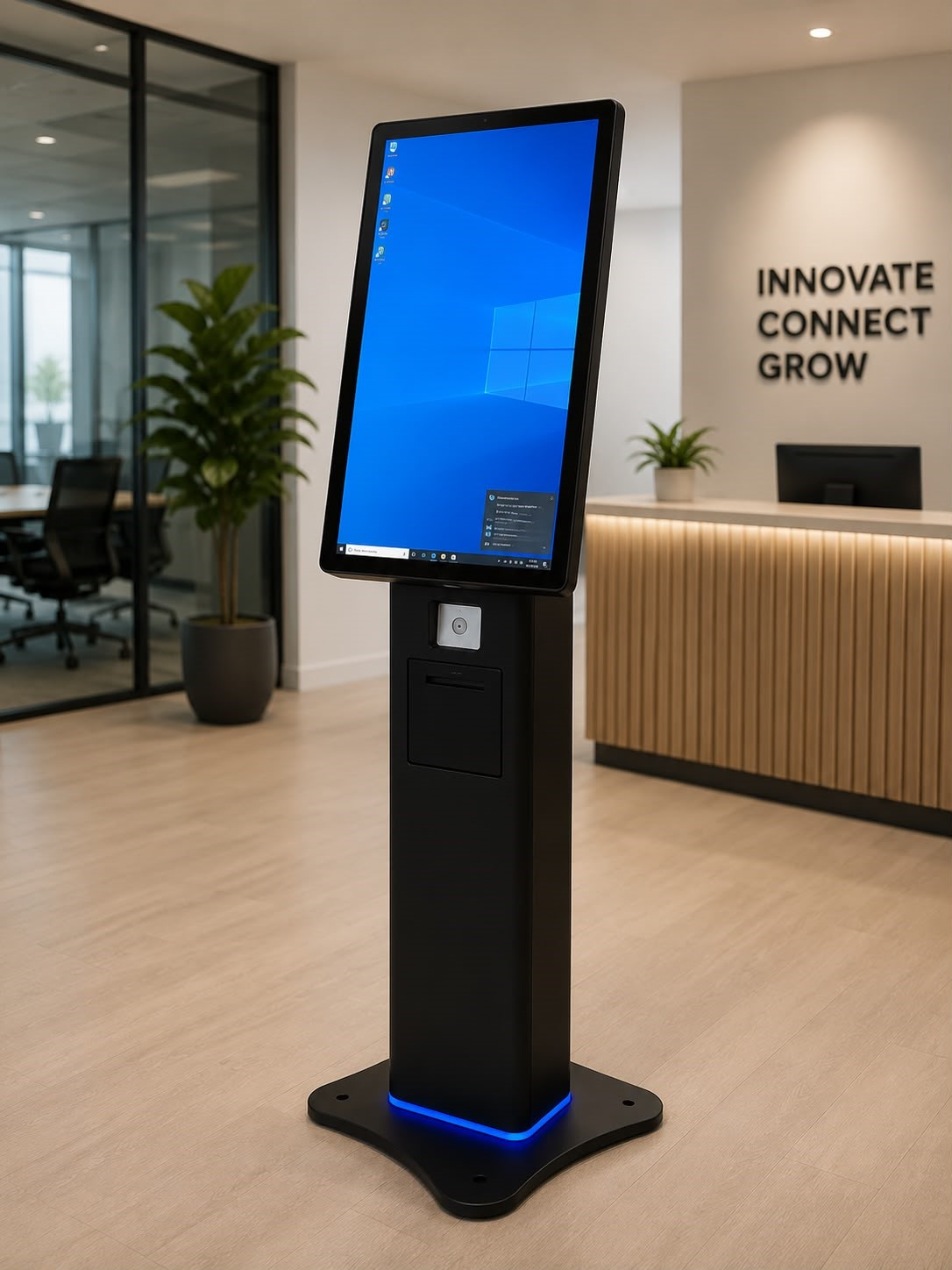
A compact freestanding touchscreen kiosk with ticket printing for customer arrival and service selection.
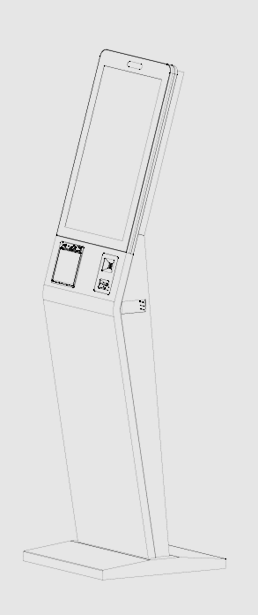
A freestanding kiosk option with an integrated ticket printer. Choose the hardware configuration around your site and workflow.
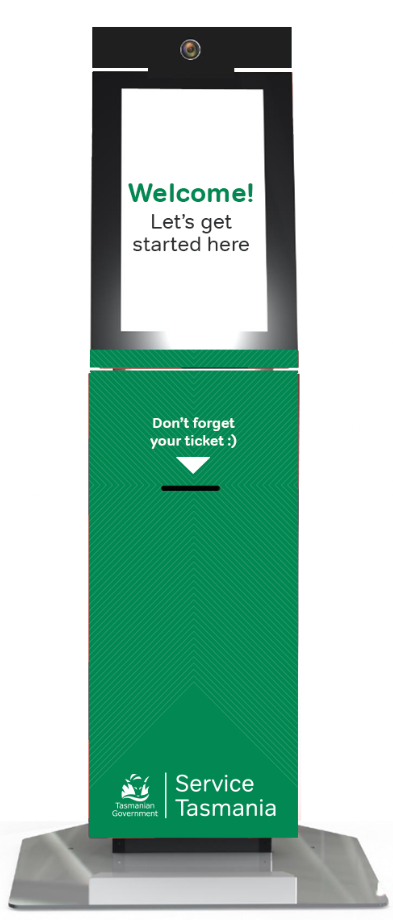
Australian-made kiosks from local manufacturer Neo Products, with custom branding and configuration options.
Screen sizes, peripherals, finishes and availability are confirmed for your project. Images show example hardware configurations.
Discuss kiosk options →FROM REQUIREMENTS TO GO-LIVE
We work through the details with your team before the system goes live.
Agree how customers arrive, choose services and move between counters.
Review the workflow, then configure your software, screens and hardware.
Complete user acceptance testing and help staff become familiar with the system.
Launch the agreed setup and keep technical support available as needs evolve.
A WELCOMING ARRIVAL. A CLEAR NEXT STEP.
Help customers check in, wait comfortably and reach the right person. Give your reception team the tools to keep service moving.
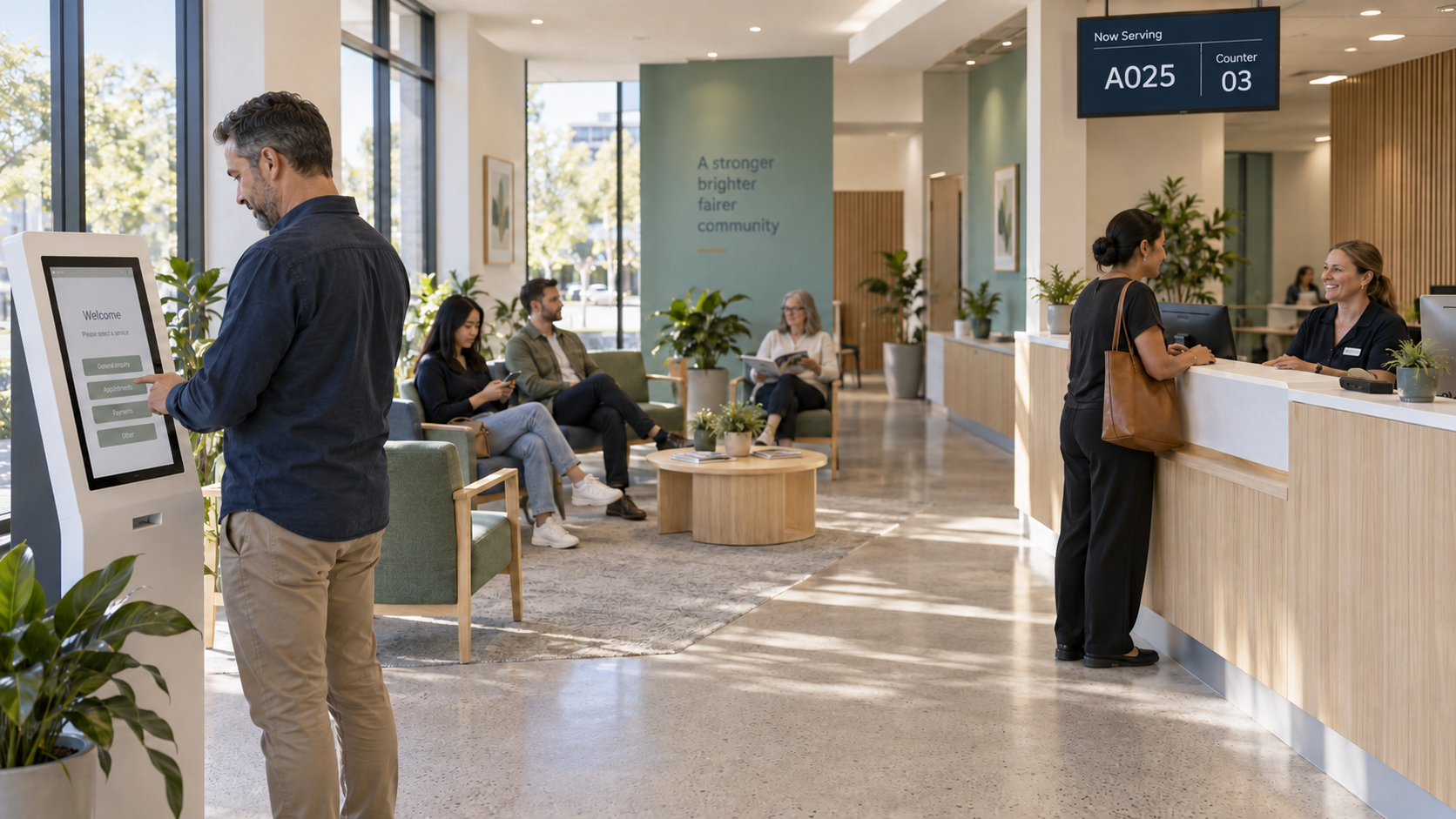
Select a service at a kiosk, join by QR code or ask reception for help.
Follow queue displays or mobile updates while waiting for your turn.
Head to the called counter and continue with the right member of staff.
ONE CONNECTED CUSTOMER JOURNEY
Bring appointments, service delivery and customer insights together. Explore each stage of the journey.
01 / Book
Offer online appointments and SMS reminders before a visit. Walk-in customers can join at arrival.
Tuesday · 10:30 am
02 / Arrive
Welcome booked and walk-in customers with branded service selection and assisted check-in.
Appointment · Enquiry · Collection
03 / Wait
Show queue status on a phone or display, with SMS updates as a customer’s turn approaches.
04 / Serve
Help staff call customers, prioritise services and transfer between queues as the workflow requires.
Please go to counter 03
05 / Listen
Collect ratings and comments with the optional feedback module to understand the customer experience.
Your feedback helps us improve
06 / Improve
Review queue activity, waiting and service times. Connect reporting tools through an agreed integration.
Arrivals · Wait times · Service activity
Select the modules and integrations your organisation needs. The final scope is agreed for your deployment.
A COMPLETE SERVICE SOLUTION
Start with the service you want to deliver. We bring together the software, hardware, integrations and support to make it work.
Appointments
Add appointment booking and SMS reminders, then define how scheduled visits work alongside walk-ins.
Explore appointments →Customer communication
Combine queue displays, voice calling and SMS updates so customers know what happens next.
Explore customer communication →Feedback
Add service ratings and comments to learn how the experience feels from the customer’s side.
Explore feedback →Reporting integrations
Use operational dashboards and reports, with integration into your organisation’s reporting tools scoped to your data needs.
Explore reporting integrations →Single sign-on
Support SSO integration with your organisation’s identity environment, with compatibility and access requirements agreed during scoping.
Explore single sign-on →Custom development
Tailor service selection, branding and workflows, or develop integrations for your specific operational requirements.
Explore custom development →LET’S MAKE EVERY VISIT BETTER