Bring the customer journey together with QRight queue management features. Select the modules and configuration that fit your organisation.
01
Kiosks & concierge check-in
Welcome customers their way.
Customers can select a service and take a printed ticket from a desktop or freestanding kiosk. A concierge can assist customers with joining the queue, while QRight Cloud also supports QR code and mobile joining.
Choose the arrival process around your space, customer needs and available staff.
02
Virtual queues & customer updates
Keep people informed while they wait.
QRight Cloud lets customers join through a QR code or online link and follow their queue status from a mobile device. Optional SMS notifications provide updates as their turn approaches.
Offer a tablet or assisted check-in option alongside mobile joining.
03
Online appointments
Plan visits before customers arrive.
Add an appointment module so customers can book a preferred service time and receive SMS reminders. Plan how appointment arrivals and walk-ins are managed together at each location.
Configure appointments around your service capacity and customer journey.
04
Staff calling & queue control
Give your team a clear next step.
Staff can call the next ticket, transfer customers between queues and manage service priorities. QRight supports workflows with multiple services and counters.
Use service selection to help direct customers to the appropriate team.
05
Live dashboards & reporting
Understand what is happening on the floor.
Monitor queue activity and review historical wait times, service durations and service outcomes. Reports help managers understand demand and identify where a workflow may need attention.
Export reports for further analysis or scope an integration with your organisation’s reporting tools. Data fields, refresh requirements and compatibility are agreed for the project.
06
Customer feedback
Hear about the experience after service.
A configurable customer feedback module collects service ratings and comments. Review this feedback alongside operational reports to understand the visitor experience.
Ask about the feedback module when planning your configuration.
07
Queue displays & announcements
Make the next call easy to follow.
Show ticket numbers and counter information on waiting-area screens. Voice announcements and PA connections can be discussed as part of the installation.
Plan screen placement and audio requirements around your waiting area.
08
SSO & system integrations
Connect the tools your organisation uses.
Support single sign-on for staff through integration with your identity environment. Connect reporting tools and other business systems through a scoped integration or custom development.
Identity provider compatibility, data access, security requirements and integration methods are confirmed during project scoping.
09
Standalone, cloud, on-premises & custom development
Choose the setup that fits your organisation.
QRight supports standalone queue management systems, cloud and on-premises solutions, and custom development. Choose a standalone setup for your site or browser-based QRight Cloud, hosted in Australia on AWS. Our team can also develop a tailored solution around your service requirements.
Discuss your workflows, connectivity and integration requirements with our Australian team to agree the scope.
Availability depends on the selected solution, modules and configuration. Our team will confirm the scope for your organisation.
HARDWARE FOR YOUR CUSTOMER JOURNEY
The right kiosk. For your space.
Bring your arrival workflow to life with desktop, freestanding and custom-branded kiosk options.
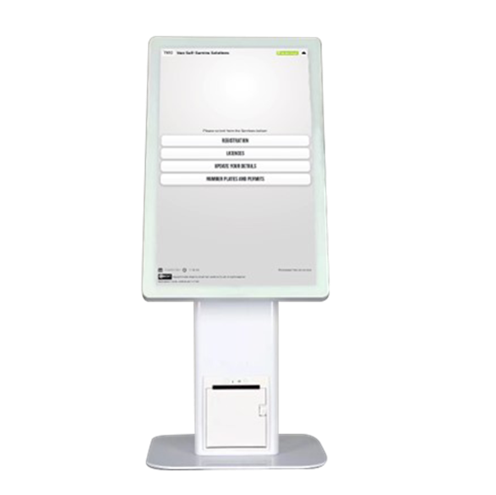
Desktop ticketing kiosk
A compact touchscreen kiosk with an integrated ticket printer for check-in at a reception desk or service counter.
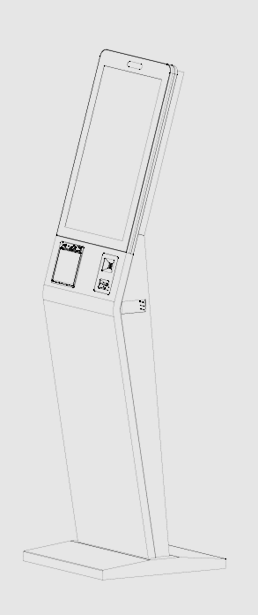
Freestanding Slimline
A compact freestanding touchscreen kiosk with ticket printing for customer arrival and service selection.
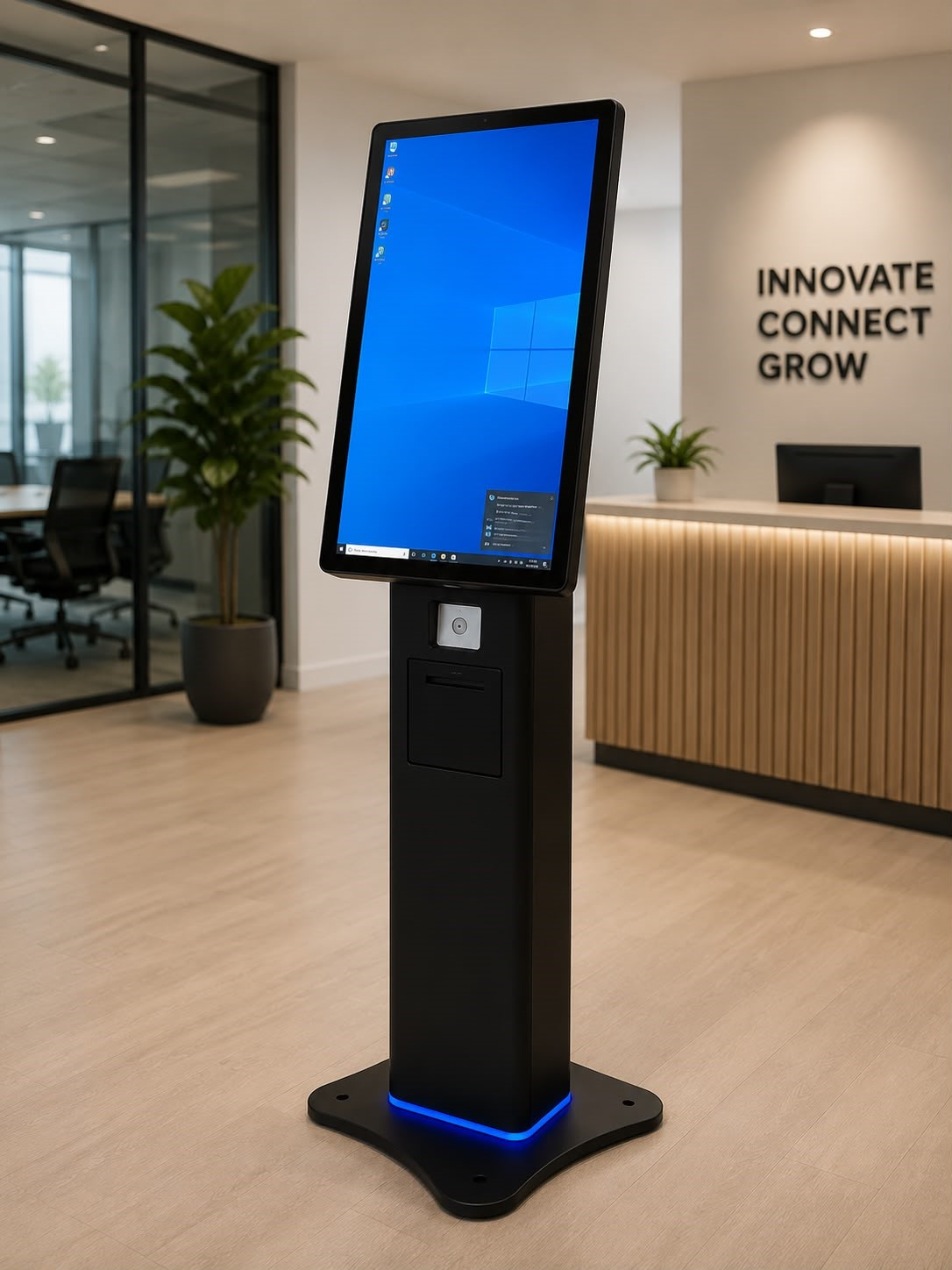
Q-PRO kiosk
A freestanding kiosk option with an integrated ticket printer. Choose the hardware configuration around your site and workflow.
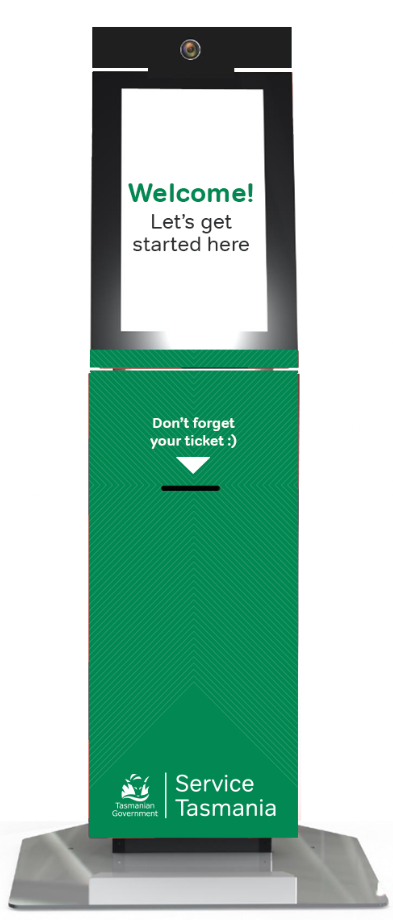
NEO series
Australian-made kiosks from local manufacturer Neo Products, with custom branding and configuration options.
Screen sizes, peripherals, finishes and availability are confirmed for your project. Images show example hardware configurations.
Offer online appointments and SMS reminders before a visit. Walk-in customers can join at arrival.
QRight.Appointment confirmed
Tuesday · 10:30 am
02 / Arrive
Kiosk, concierge or QR
Welcome booked and walk-in customers with branded service selection and assisted check-in.
QRight.Choose your service
Appointment · Enquiry · Collection
03 / Wait
Keep customers informed
Show queue status on a phone or display, with SMS updates as a customer’s turn approaches.
QRight.You’re nearly there
Ticket A025 · Please stay nearby
04 / Serve
The right service point
Help staff call customers, prioritise services and transfer between queues as the workflow requires.
QRight.Now serving A025
Please go to counter 03
05 / Listen
Feedback after service
Collect ratings and comments with the optional feedback module to understand the customer experience.
QRight.How was your visit?
Your feedback helps us improve
06 / Improve
Reporting & insights
Review queue activity, waiting and service times. Connect reporting tools through an agreed integration.
QRight.Understand your day
Arrivals · Wait times · Service activity
YOUR FOUNDATIONStandalone or on-premisesCloudCustom developmentSSO & integrations
Select the modules and integrations your organisation needs. The final scope is agreed for your deployment.
SHAPED AROUND REAL SERVICE ENVIRONMENTS
Your brand. Your services. Your workflow.
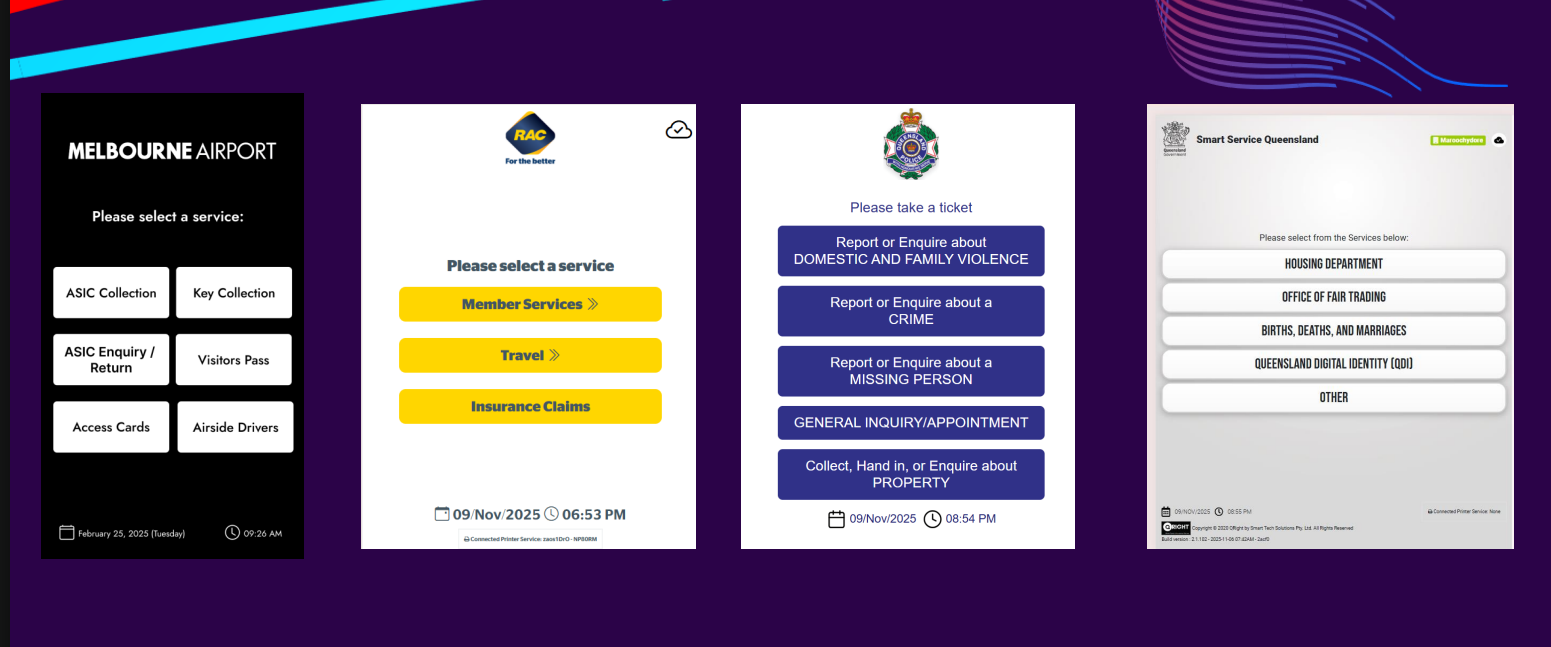
These project and interface examples show how QRight can adapt the arrival and waiting experience to different organisations.
Service selection examples: organisation-specific branding, service categories and appointment arrival options. Screens illustrate configurations; they do not imply every module is included at every site.
Guide each arrival
Melbourne Airport’s example separates collections, enquiries, visitor passes and access cards. The government service examples show how one kiosk can route visitors across different service categories.
Keep the waiting area connected
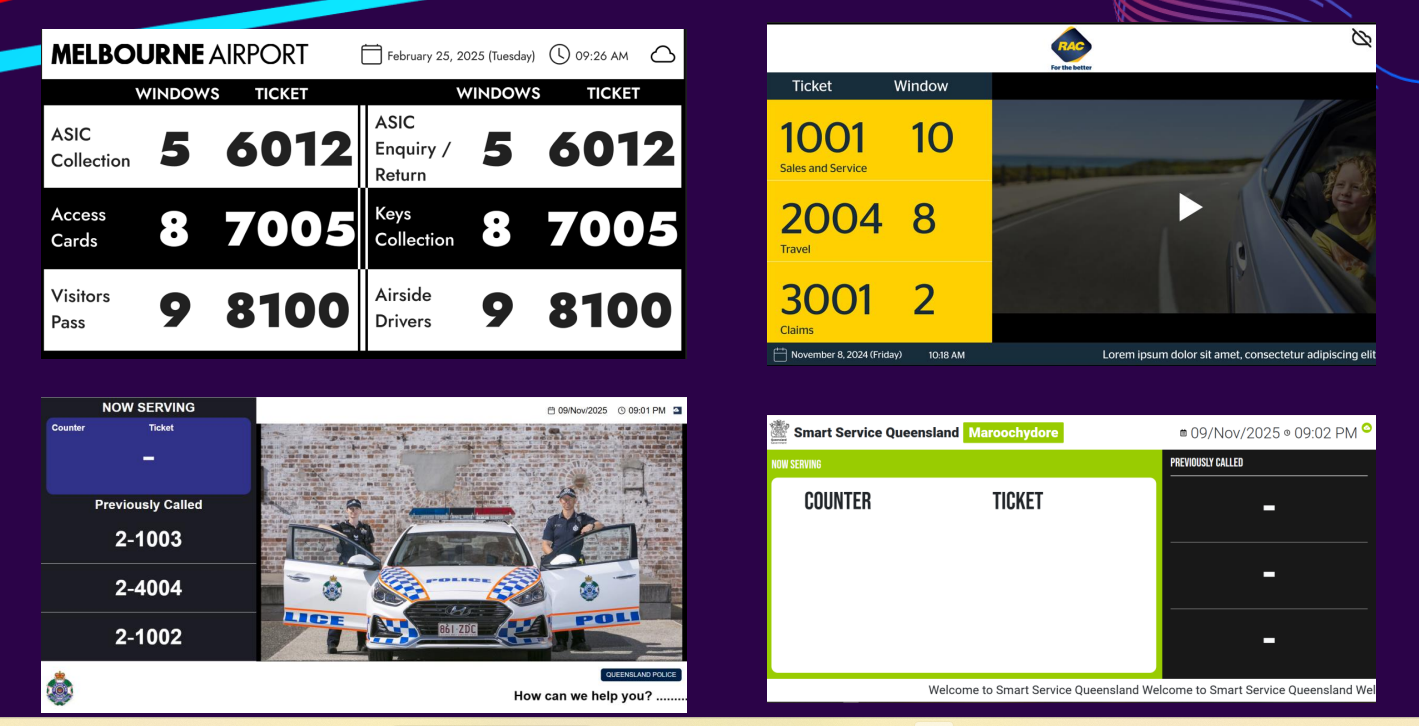
Display layouts combine called tickets, counter numbers and previously called customers with branded messages or media. The SA Housing project brings kiosk ticketing, priorities, displays and reporting together across eight offices.
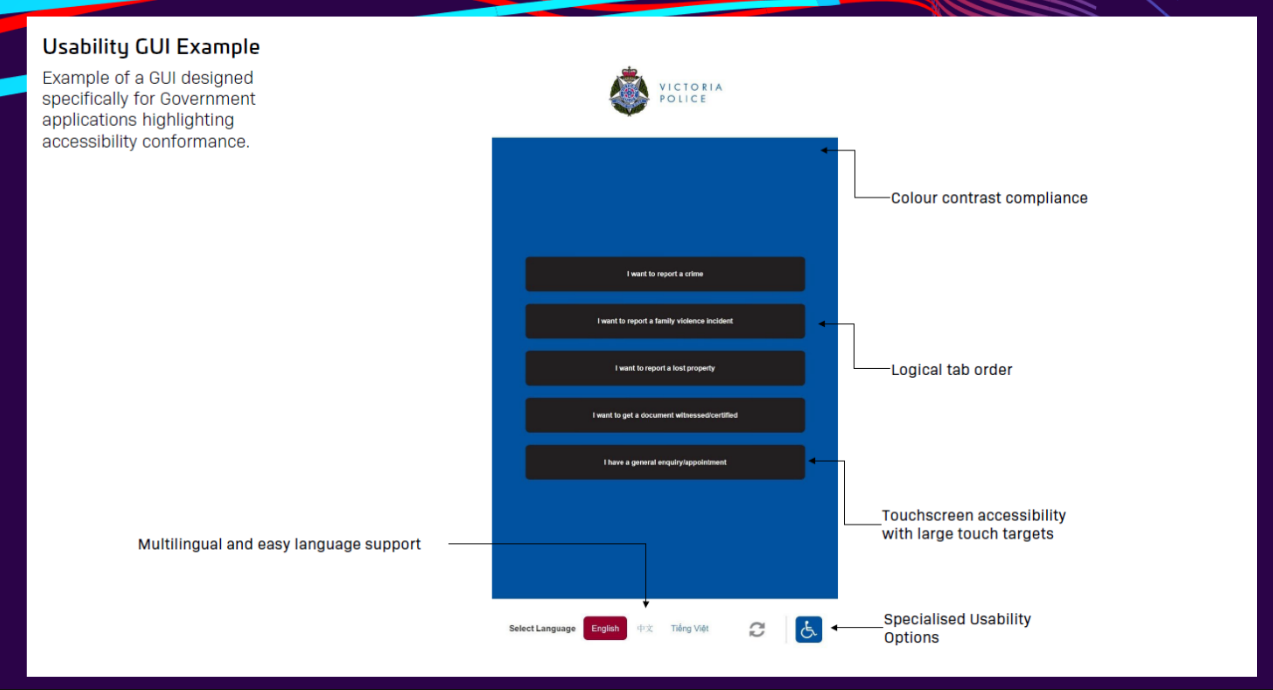
Queue display examples with different service layouts, branding and media areas.Explore an accessibility-focused interface example
Design around the people using it
The government interface example highlights colour contrast, logical tab order, large touch targets, language selection and specialised usability options. We discuss these needs as part of the interface design and project scope.
Accessibility requirements and validation are agreed for each implementation.
LET’S MAKE EVERY VISIT BETTER
A better service experience starts with a conversation.